// NEWS

What is new: software, articles and tools.

New versions of D.T.MUX Viewer, new technical articles and the free online tools, newest first. Each entry says what changed and links to the page that gives the detail.

RSS feed Follow new entries in any feed reader.

November 2026

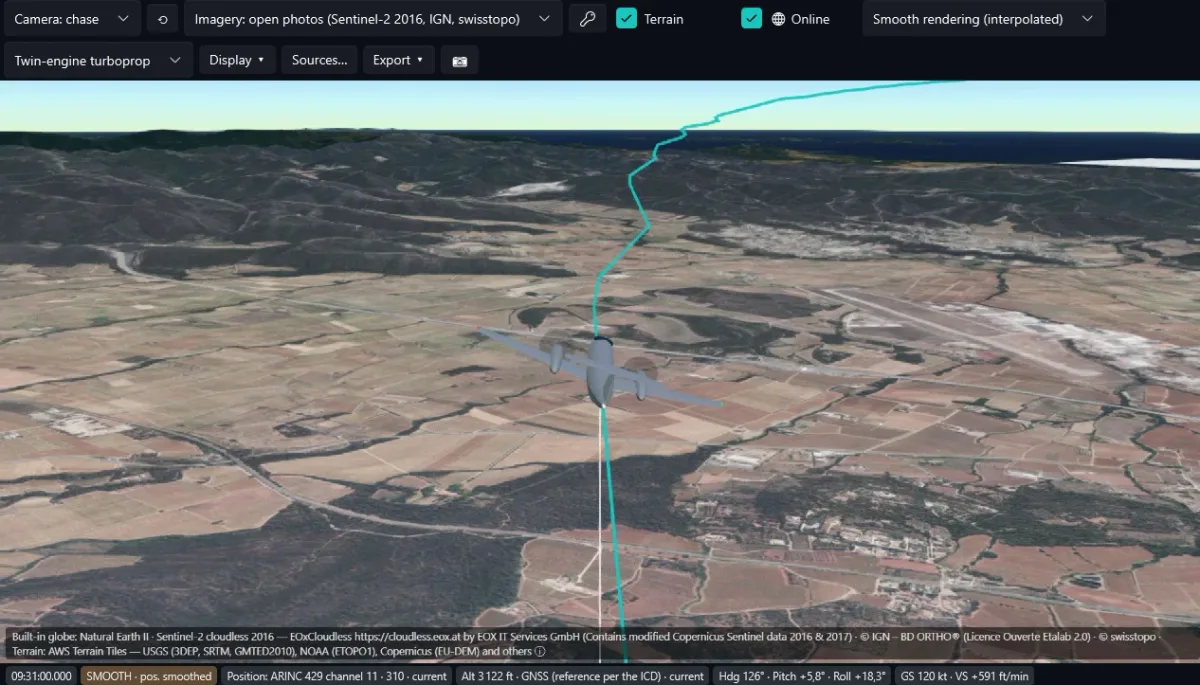
The 3D flight view of D.T.MUX Viewer: a twin-engine turboprop and its track over the terrain and aerial imagery

D.T.MUX Viewer 1.82.10: the weather of the flight in 3D, a flight library and the recorders of other manufacturers

The 3D flight view replays the weather at the time of the flight — atmospheric model, ground radar, lightning, METAR and TAF — with volumetric clouds, rain and a cockpit camera; nothing is requested from the network without your consent. A flight library analyses your recording folders in the background: one row per flight, your own measurements and events with your thresholds, a fleet view, de-identified exports and an Excel export. A recording check gives a green, amber or red verdict for each channel, a cut or damaged recording is read wherever it is readable, and every analysis is traceable: SHA-256 hash of the recording, a manifest beside each export, a session log, and an MP4 debriefing clip composed frame by frame. Raw ARINC 717 files from a QAR or a DFDR, ARINC 767 (EAFR) recorders and ARINC 657 downloads open with the aircraft's frame definition (FRED), with D.T.MUX Viewer Professional.

Versions 1.77.0 (28 October) and 1.80.0 (2 November) were also published since 1.75.0: X-Y curves, a reference curve, a second aircraft in the 3D flight view, resource gauges and the magic fill. Their notes are in the release history.
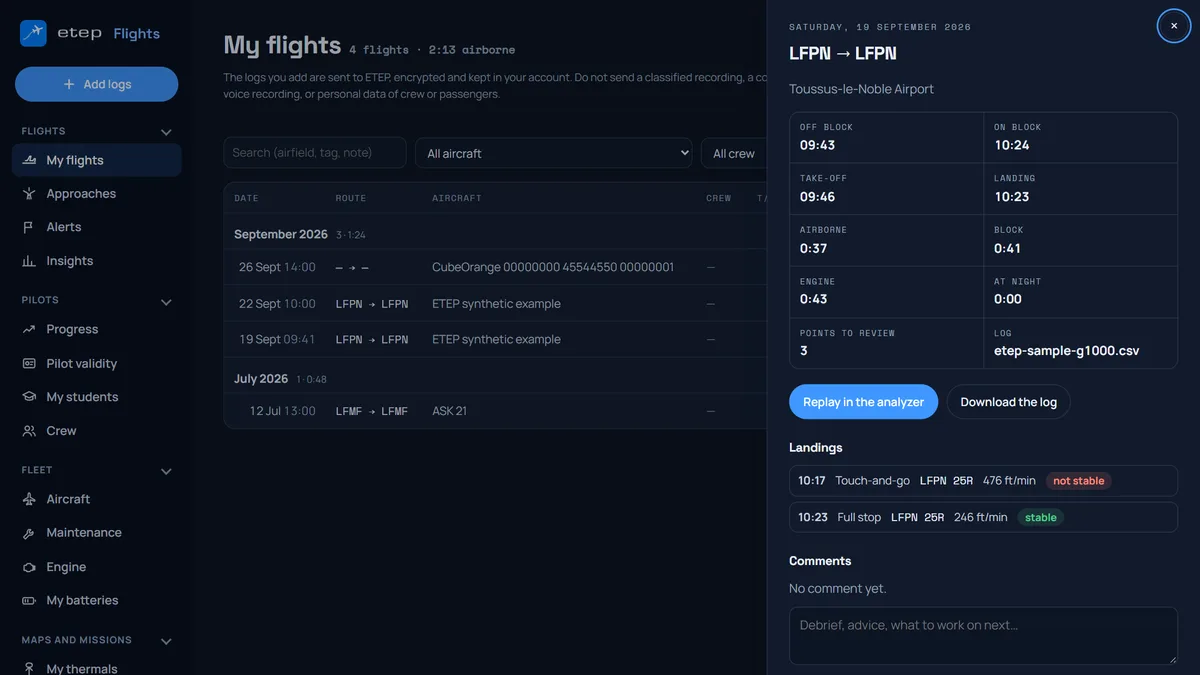
ETEP Flights: the list of flights and, on the right, a flight with its two landings, one stabilised, one not

ETEP Flights: a free account to keep the flights you analyse

The flight log analyzer now has its own accounts, at flights.etep.com. Every flight you analyse is kept and found again in an instant — hours, aerodromes, approaches, engine — with your aircraft and their maintenance, your licences and your recent experience. Logs can be sent by e-mail, and a flight can be shared with an instructor or by a link, with access withdrawn whenever you choose. Sign-in uses a code sent by e-mail, with no password; the account is free up to 1 GB of logs, encrypted and hosted in France.

The analyzer also reads glider, helicopter and drone logs since 5 November. Android and iPhone apps are coming.

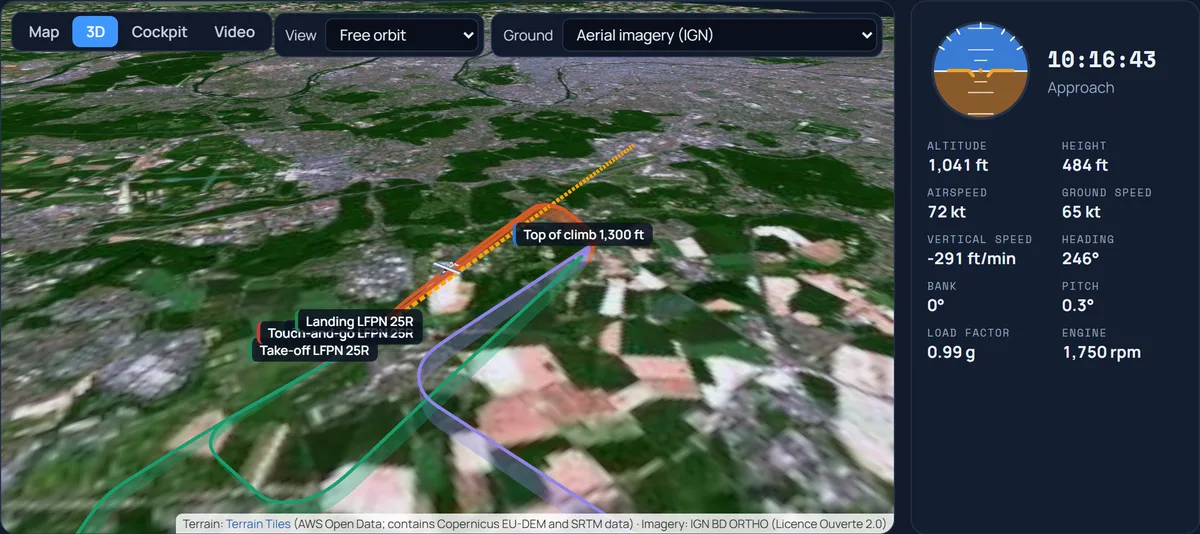
The flight log analyzer: a circuit at Toussus-le-Noble in 3D over the aerial imagery, with the attitude and the flight values

A free flight log analyzer, in your browser

Drop the data log of a Garmin G1000, G3000 or G3X Touch, of a JPI engine monitor, a Dynon SkyView or another flight deck, or a GPX or KML track: the analyzer replays the flight on a map, in 3D over the terrain and aerial imagery, and on charts. It assesses each approach and landing, finds the steep turns and flags exceedances. Your browser reads the file on your computer: nothing is uploaded unless you choose to keep the flight in an ETEP Flights account.

October 2026

Three new articles: the recorder specification checklist, decommutation and calibration, onboard Ethernet

The three articles announced on the Resources page are online: what to write in the specification of an airborne recorder, line by line; how a parameter goes from bits in a frame or a bus word to a value in engineering units; and how IENA and Chapter 10 packets carry flight-test data on an onboard network. The glossary gains the terms of the ARINC 429 and MIL-STD-1553 decoders.

Case study: every recording read back from a recorder caught in a fire

An impact tore the cover off a lightweight crash-protected recorder's memory module, then a battery fire was put out with water. The module reached our laboratory on its own and its memory was read back in full the day it arrived, including the last half-minute recorded by the recorder's internal sensors alone.

ARINC 429 and MIL-STD-1553 word decoders, and a day-of-year converter

Two new online tools decode a bus word bit by bit: an ARINC 429 word, with its label in octal, SDI, sign/status matrix, parity and data read as BNR, BCD or discrete bits; a MIL-STD-1553 command, status or data word, with its terminal address, subaddress, word count, mode codes and broadcast rules. A third converts the day of year of IRIG-B and Chapter 10 time to a date and back, with the ISO week and the GPS week. Like the calculators, they run in your browser and hold no ETEP figure.

D.T.MUX Viewer 1.75.0: Supervision, workstation configuration and operator mode

A new Supervision menu watches the channels that matter during replay, reception or acquisition: per-channel thresholds and alarms, exceedance analysis of a whole recording with its own section in the test report, calculated channels, supervision panels, "if… then" rules and templates. Supervision is not a paid option: every user has it, and like the rest of D.T.MUX Viewer it is free for recordings made with ETEP equipment. Other additions: export of a workstation's configuration to set up another one identically, an operator mode, a PTP indicator and full-screen video at native resolution.

Includes versions 1.73 and 1.74, which were not published on their own.

Animated diagrams in the technical articles, and a live view in the Chapter 10 checker

Six animated diagrams now show, step by step, what the Resources articles explain: Chapter 10 packets written to a file, a decommutator locking onto a PCM frame, a MIL-STD-1553 command repeated from bus A to bus B, an IRIG-B time code frame, aliasing, and the ways of erasing a flash memory. The online Chapter 10 file checker now draws the file while it reads it: a lane coloured by data type, with missing packets and damaged areas marked as they are found.

New articles: IRIG 106 Chapters 4 and 7, ED-112B, MTBF

Four new articles in Resources: what IRIG 106 Chapter 4 requires of PCM telemetry, how Chapter 7 carries packets, Ethernet and video over a PCM link, what changed for crash-protected recorders from ED-112A to ED-112B, and what an MTBF figure says and cannot tell you. The Chapter 10 article gains a "Chapter 10 or Chapter 11?" section: the recorder in one chapter, the packet format in the other.

Online Chapter 10 file checker, and three new articles

A free checker examines an IRIG 106 Chapter 10 file (.ch10, .c10) in the browser: channels, TMATS, time, missing packets, truncation. Nothing is uploaded. Three new articles: ARINC 717 flight data frames, Ethernet and PTP in flight-test networks, and airborne data acquisition systems.

D.T.MUX Viewer 1.72.0, and D.T.MUX Viewer Professional

D.T.MUX Viewer now checks for new versions itself, at most once a day, and installs nothing without your consent; feedback, questions and bug reports go to ETEP support from the Help menu. D.T.MUX Viewer Professional opens Chapter 10 files and streams from other manufacturers, with a 30-day free trial, then a subscription.

A question about one of these updates?

Write to us: an engineer answers.

Write to us  →